
Windows 10 End of Life: What to Do With Your Old PC Fleet
Windows 10 end of life arrived on October 14, 2025, the date Microsoft set for end of support. That turns every Windows 10 PC in your fleet into a disposition decision. For each machine, you have four choices: redeploy it, sell it, recycle it, or destroy its drive. The right call depends on whether the PC can run Windows 11, how much resale value it still holds, and what data lives on it. Data security comes first in every path.
What Windows 10 End of Life Means for Your PC Fleet
Windows 10 end of life means the operating system no longer receives security updates, which makes every unpatched PC a growing risk. According to Microsoft's Windows 10 lifecycle page, support ended on October 14, 2025, and version 22H2 is the final release.
That date covers the mainstream editions: Home, Pro, Enterprise, and Education. Microsoft's lifecycle documentation also notes a few exceptions. Windows 10 LTSC and IoT editions follow their own extended lifecycles, and paid Extended Security Updates (ESU) keep security patches flowing to enrolled organizations past the cutoff. For most fleets, those cases are worth confirming during inventory rather than assuming a single shared cutoff.
For a home user, this is a prompt to upgrade. For an enterprise, it is a fleet event. Hundreds or thousands of machines reach the same cutoff at once, and each one needs a decision.
An unsupported PC still turns on and still runs. The danger is invisible. New vulnerabilities stop getting patched, so the attack surface widens every month the machine stays in service.
That is why Windows 10 end of life is a disposition trigger, not just a patching headache. The question is not whether to act. The question is what to do with each PC, and how to handle the data on it safely.
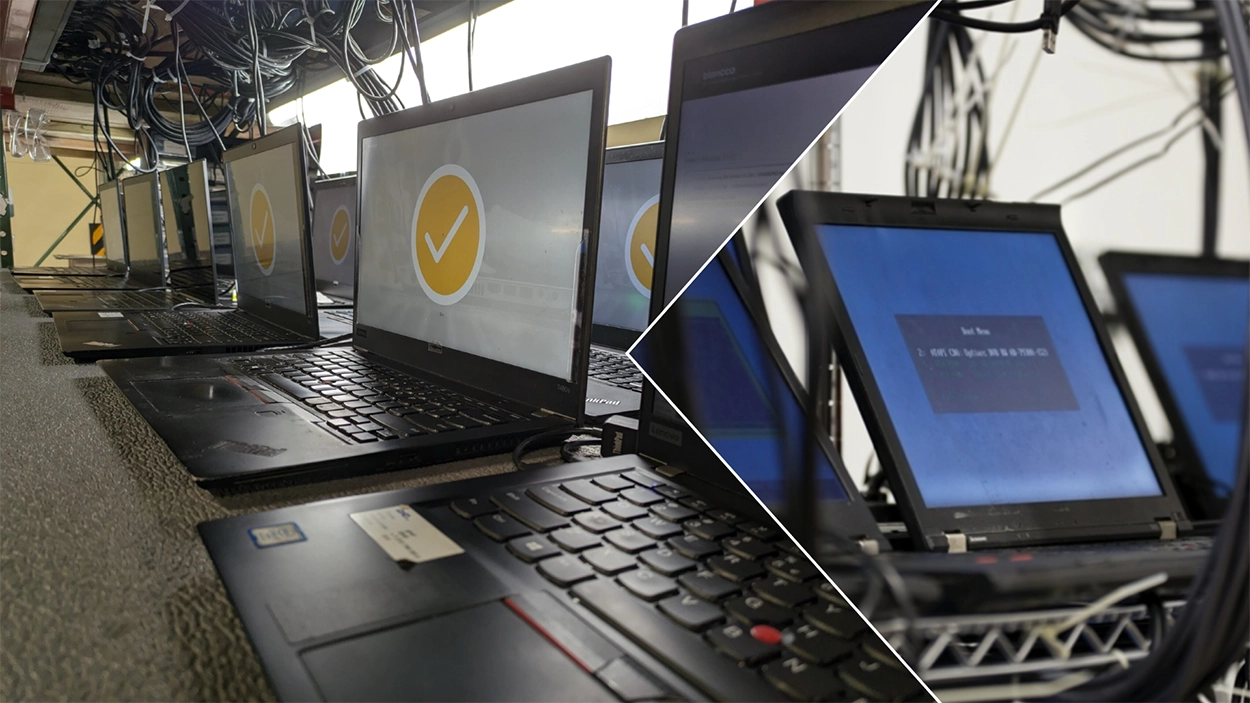
Why So Many PCs Cannot Upgrade to Windows 11
Many PCs cannot move to Windows 11 because they fail its hardware floor, not because they are too slow. The blocker is usually security hardware, not performance.
Per Microsoft's Windows 11 system requirements, every device needs Trusted Platform Module (TPM) version 2.0, UEFI with Secure Boot, and a compatible 64-bit processor. Older machines often have a TPM 1.2 chip, no enabled TPM at all, or a CPU that fell off Microsoft's supported list.
This is what makes the current refresh wave unusual. In a normal cycle, PCs age out because they slow down or break. Here, plenty of three-year-old and four-year-old machines work fine yet still fail Windows 11 upgrade eligibility on the TPM and CPU rules.
The result is a fleet split into two groups. One group meets the Windows 11 bar and keeps running. The other group is healthy hardware with no supported upgrade path, and that group drives the disposal decision.
In ITAMG's experience, this second group is where the most value leaks away, because functional machines sit in storage while their resale value quietly declines.
The Windows 10 Fleet Decision Tree
The Windows 10 Fleet Decision Tree sorts every PC into one of four paths: redeploy, sell, recycle, or destroy. The right path follows three questions, in order: can it run Windows 11, does it still hold resale value, and what data is on it.
Work the table top to bottom. The first matching row is the recommended path for that machine.
| Fleet Scenario | Recommended Path | Required Data Step | Why This Path Wins |
|---|---|---|---|
| Meets Windows 11 hardware requirements | Redeploy or upgrade in place | Clear, if it stays in the same security boundary | No disposition needed; extend the asset's service life |
| Recent PC, ineligible for Windows 11 (no TPM 2.0 or unsupported CPU) | Sell or remarket | Purge before it leaves your control | Residual value is highest now and falls as supply rises |
| Holds regulated or high-confidentiality data | Data destruction first, then sell or recycle | Purge or Destroy, set by data sensitivity | Compliance and breach risk outweigh resale value |
| End of life, no meaningful resale value | R2v3 recycling with downstream accountability | Purge or Destroy | Diverts e-waste responsibly and documents the chain |
One rule sits above the whole tree. Data gets sanitized or destroyed before a PC moves anywhere. When resale value exists, the sell path routes to ITAMG's IT equipment buyback program, which recovers cash that would otherwise be lost to storage or scrap. This decision framework is the backbone of a sound IT asset disposition (ITAD) plan.
Option 1: Redeploy Windows 10 PCs That Qualify for Windows 11
Redeploy the PCs that pass the Windows 11 hardware check, because the cheapest asset is the one you already own. If a machine meets the TPM 2.0 and CPU requirements, upgrading it in place avoids both a purchase and a disposal.
Run Microsoft's compatibility check across the fleet first. Sort the results into eligible and ineligible before you plan any spending.
Eligible machines can also shift roles. A PC that is no longer right for a power user may serve well in a kiosk, a lab, or a shared workstation for several more years.
When a PC stays inside the same security boundary and the same organization, NIST calls for the Clear method rather than full destruction. Clear removes user data and prepares the device for safe internal reuse. Once an asset leaves that boundary, Purge becomes the recommended default, and Destroy is reserved for cases where no reuse is planned and confidentiality is high.
Option 2: Sell Business Computers Before Residual Value Drops
Sell the ineligible PCs that still work, because functional business computers carry real resale value the day Windows 10 retires. The catch is timing. That value does not hold. It erodes as models age and supply floods the secondary market.
Selling old business computers after Windows 10 reaches end of life recovers budget you can redirect into the refresh. A structured buyback turns a storage-room liability into a credit against new hardware.
Value depends on the configuration, not the operating system. A PC that cannot run Windows 11 can still be wiped and resold to buyers who run Linux, ChromeOS Flex, or other supported systems. The hardware keeps its worth even when the original OS does not.
Before you sell, two steps protect you. First, build an accurate inventory so each asset can be priced. Second, sanitize every drive to the Purge level so no data leaves with the machine. ITAMG sets buyback rates at quote based on each asset's configuration and condition, so an upfront inventory list drives a faster, cleaner settlement.
To size the opportunity before committing, you can calculate the value of used computer equipment across the fleet. Larger environments that also retire servers can sell or recycle enterprise servers through the same engagement, and ITAMG's sell used IT equipment service handles both in one chain of custody.
Option 3: Recycle Computers That Can't Run Windows 11
Recycle the PCs that no longer hold resale value, because responsible recycling keeps toxic e-waste out of landfills and recovers raw materials. When a machine is too old to sell, recycling is the correct end state, not a dumpster.
The EPA's electronics donation and recycling guidance stresses that electronics are built from valuable, finite materials worth recovering. It also warns that improper handling releases hazardous substances.
The single most important factor is downstream accountability. A responsible recycler proves where each material stream ends up, rather than allowing uncontrolled export, dumping, or undocumented downstream handling. The EPA's certified electronics recyclers page names two accredited frameworks for this: the Responsible Recycling (R2) Standard and the e-Stewards Standard. ITAMG operates under R2v3 Certified and RIOS Certified standards.
When you dispose of computers that can't run Windows 11, choose a vendor that documents the full downstream chain. ITAMG's computer recycling services route end-of-life PCs through R2v3-certified downstream partners only, so the recovery path stays auditable from pickup to final processing.
Option 4: Destroy Drives That Hold Regulated Data
Destroy the drives that hold regulated or high-sensitivity data when no reuse is planned, because physical destruction removes any chance of recovery. This is the path for failed drives and any media where the confidentiality stakes outweigh resale value.
Destruction does not mean throwing the whole PC in a shredder. In most fleets, the chassis still has recycling or resale value. The drive is the asset that carries risk, so the drive is what gets destroyed.
Methods include shredding and disintegration for solid-state media, paired with verified erasure for drives that will be reused. Matching the method to the media matters. Flash media such as M.2 and mSATA modules calls for disintegration, while traditional platters can be degaussed and shredded.
A complete data destruction process ends with proof. Every destroyed drive should map to a serialized record, so the audit trail shows exactly which asset was retired and how.
Why Data Sanitization Comes First in Every Path
Data sanitization comes first because a wiped or destroyed drive is the only version of disposal that survives an audit. Whether a PC is sold, recycled, or destroyed, the data leaves your control the moment the machine does. Sanitization closes that gap.
The governing standard is NIST Special Publication 800-88, Revision 2, Guidelines for Media Sanitization. It defines three approaches, matched to how the asset will be reused.
| NIST SP 800-88 Method | When It Applies | Typical Use at Fleet Refresh |
|---|---|---|
| Clear | Reuse inside the same organization and security boundary | Redeployed PCs that stay in-house |
| Purge | Asset leaves your control through sale, recycling, or donation | Default for any PC exiting the fleet |
| Destroy | No reuse is planned and confidentiality is high | Drives with regulated data and failed media |
The practical rule is simple. Purge is the default level whenever an asset leaves your organization's control. Clear is only acceptable for in-place reuse inside the same security boundary. Destroy applies when there is no reuse and the data is highly sensitive.
This sequencing also satisfies regulators. The FTC Disposal Rule requires businesses to take reasonable measures to destroy or erase consumer report information so it cannot be reconstructed, including hiring a qualified destruction contractor. Sanitizing before disposal is how you meet that bar. ITAMG moves every drive through a documented sanitization or destruction process, so no media leaves inventory unaccounted for. Drives bound for reuse receive certified erasure aligned with NIST SP 800-88, regardless of any wipe done before pickup, while failed drives and the most sensitive media are physically destroyed.
Documentation and Chain of Custody for Fleet Disposal
Documentation is what converts a disposal into a defensible audit record, so chain of custody matters as much as the wipe itself. An undocumented destruction protects no one. If you cannot prove a drive was sanitized, regulators treat it as if it was not.
A strong paper trail follows the asset from pickup to final disposition. Each handoff is recorded, each container is sealed, and each serial number is tracked.
ITAMG documents fleet disposal through three artifacts that work together. The first is a serialized asset report, a per-item record covering details such as the media serial number, the sanitization method, the result, and the disposition status. The second is a blanket Certificate of Recycling issued at the project level. The third is an individualized erasure report generated for each drive that is wiped rather than destroyed.
Together those records answer the question every auditor asks. They show what you had, what happened to it, and who verified the outcome, with no gaps in the chain.
Timing Your Windows 10 Fleet Disposal to Protect Value
Time your Windows 10 fleet disposal early, because residual value and security exposure both move against you the longer you wait. Every month an ineligible PC sits in storage, it loses resale value and, if still connected, keeps widening your attack surface.
The instinct to stockpile retired machines is costly. Storage consumes space and tracking effort, while the assets inside depreciate the whole time.
A better approach treats Windows 10 EOL fleet disposal as a planned project with a defined window. Inventory the fleet, sort it through the decision tree, sanitize the data, and move each asset to its path while value is still on the table.
Acting early also smooths the work. A staged plan lets you batch pickups, schedule data destruction, and reconcile records in an orderly way, instead of scrambling after a breach or an audit request. To prioritize which machines to move first, you can estimate your fleet's residual value and sequence the highest-value units to the front of the queue.
How ITAMG Handles Windows 10 Fleet Disposition
ITAMG handles Windows 10 fleet disposition end to end, from secure pickup through data destruction, remarketing, recycling, and final reporting. The four decision paths run through one chain of custody, so a mixed fleet does not need four separate vendors.
ITAMG holds R2v3 Certified, NAID AAA Certified, and RIOS Certified credentials, and operates aligned with NIST SP 800-88 and SOC 2 compliant controls. That combination covers the secure-destruction, recycling, and data-handling sides of a fleet refresh under a single engagement.
Operating since 1999 from Farmingdale, New York, ITAMG has guided enterprise IT teams through repeated technology transitions. Across these engagements, ITAMG consistently finds that the cleanest outcomes start with an accurate inventory and a clear disposition decision per asset.
The next step is a quote. Share an inventory list, and ITAMG sets buyback rates by configuration and condition, schedules sanitization to the right NIST level, and routes non-resale units through certified recycling. Your team gets recovered value, a clean audit trail, and a documented end to every Windows 10 PC. To begin, request a buyback assessment to remarket your retired IT equipment, or route end-of-life units to responsible electronics recycling.
Frequently asked questions
Quick answers to the questions buyers, compliance teams, and IT leaders ask most often about this topic.